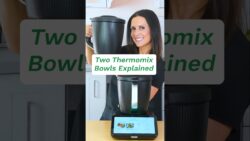
THERMOMIX TM7 – How to Create Your Own Recipes
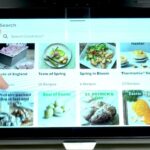
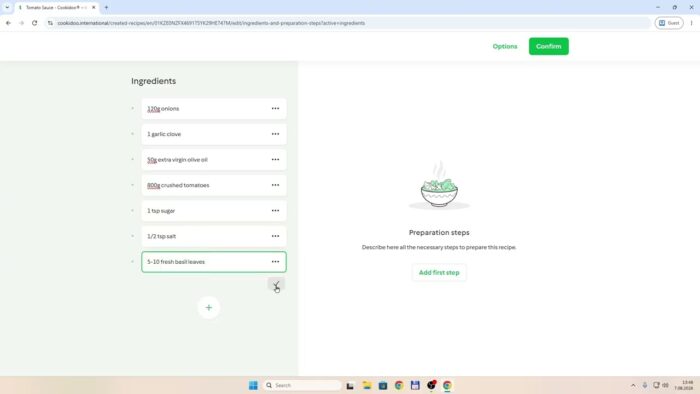
In this video I show you how to create custom recipes for your THERMOMIX TM7 using the Cookidoo website or app and sync them directly to the device screen. You’ll sign in to your Cookidoo account, navigate to My Recipes, and click the plus icon to create a new recipe where you can enter details like title, preparation time, portions, and ingredients. I’ll walk you through adding cooking steps with manual settings for speed and temperature, such as 5 seconds at speed 5 or 7 minutes at 120 degrees, so that once saved, the recipe appears in My Recipes on your THERMOMIX where you can start it to follow step-by-step instructions.
How to create a custom recipe on THERMOMIX TM7?
Can I add my own cooking steps to a THERMOMIX recipe?
Where do created recipes appear on THERMOMIX TM7?
0:00 Intro – creating THERMOMIX TM7 recipes
0:27 Importing community recipes into TM7
1:01 Navigating to the Kukito website
1:13 Accessing created recipes and adding one
2:25 Setting preparation time and portions
4:06 Creating the first recipe step
5:21 Choosing manual mode for settings
6:35 Adding ingredients in a new step
8:01 Editing cooking time and temperature
8:37 Viewing the recipe on the THERMOMIX
9:08 Starting the recipe from the screen
9:54 Outro – like and subscribe
#Thermomix #ThermomixTM7 #Cookidoo #CustomRecipes
Find out more:
https://www.hardreset.info/devices/thermomix/thermomix-tm7/
Follow us on Instagram ► https://www.instagram.com/hardreset.info
Like us on Facebook ► https://www.facebook.com/hardresetinfo/
Tweet us on Twitter ► https://twitter.com/HardResetI
Support us on TikTok ► https://www.tiktok.com/@hardreset.info
Use Reset Guides for many popular Apps ► https://www.hardreset.info/apps/apps/
Más sobre THERMOMIX TM7 – How to Create Your Own Recipes
Cómo crear tus propias recetas en THERMOMIX TM7 – How to Create Your Own Recipes
Aprende a crear recetas personalizadas para tu THERMOMIX TM7 utilizando el sitio web o la aplicación Cookidoo y sincronízalas directamente en la pantalla del dispositivo. Sigue los pasos para ingresar a tu cuenta de Cookidoo, ir a Mis Recetas y hacer clic en el ícono de suma para crear una nueva receta donde podrás ingresar detalles como título, tiempo de preparación, porciones e ingredientes. Te guiaré en la adición de pasos de cocción con ajustes manuales para velocidad y temperatura, como 5 segundos a velocidad 5 o 7 minutos a 120 grados, para que una vez guardada, la receta aparezca en Mis Recetas en tu THERMOMIX donde podrás iniciarla y seguir las instrucciones paso a paso.
Ingredientes para Crear Tus Propias Recetas en THERMOMIX TM7
- Ingredientes personalizados 1
- Ingredientes personalizados 2
Instrucciones para Crear Tus Propias Recetas en THERMOMIX TM7
Simplemente devuelve un emoticono sonriente. 😊
 www.youtube.com
 Cargando...