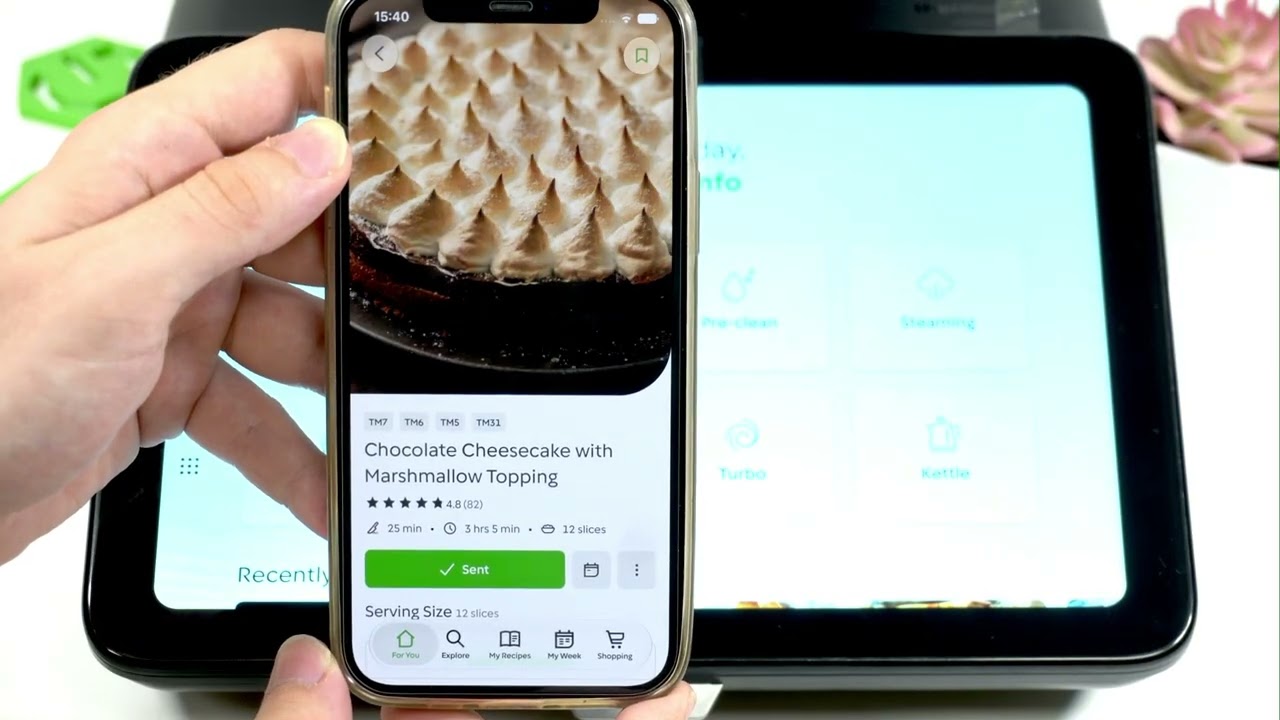
Learn how to use Recipe Handover to send recipes from your phone directly to the THERMOMIX TM7. In this video I show the exact steps to enable the «Send to TM7» mode using the Cookidoo app and the TM7 settings, how to grant permission for nearby devices, and how to start cooking as soon as the recipe arrives. This replaces bookmarking or searching for a recipe on the device — send a recipe from your phone and it appears instantly on the TM7 via Bluetooth/local connection. You’ll see the Cookidoo profile → Remote Access steps, enabling Bluetooth and Recipe Handover on your phone, the TM7 settings path (nine dots → Settings → Remote Access), choosing who can hand over recipes, and a short demo of sending a recipe and beginning the guided cook.
How to send recipes to THERMOMIX TM7 from Cookidoo app?
How to enable Recipe Handover on THERMOMIX TM7?
Where is Send to TM7 mode in the Cookidoo app?
0:00 Intro — What is Recipe Handover and why use it
0:12 Why this is easier than bookmarks or search
0:46 Quick demo — sending a recipe to TM7
1:07 Enable Recipe Handover in Cookidoo app (profile → Remote Access)
1:28 Enable Recipe Handover on TM7 and set permissions (nine dots → Settings → Remote Access)
2:06 Send recipe and start cooking
2:19 Outro and final tips
#Thermomix #TM7 #RecipeHandover #SendToTM7
Find out more:
https://www.hardreset.info/devices/thermomix/thermomix-tm7/
Follow us on Instagram ► https://www.instagram.com/hardreset.info
Like us on Facebook ► https://www.facebook.com/hardresetinfo/
Tweet us on Twitter ► https://twitter.com/HardResetI
Support us on TikTok ► https://www.tiktok.com/@hardreset.info
Use Reset Guides for many popular Apps ► https://www.hardreset.info/apps/apps/
Más sobre How to Send Recipes to THERMOMIX TM7 (Send to TM7 Mode)
Cómo enviar recetas al THERMOMIX TM7 (Modo Send to TM7)
Aprende a enviar recetas desde tu teléfono directamente al THERMOMIX TM7 utilizando Recipe Handover. En este video te muestro los pasos exactos para habilitar el modo «Send to TM7» utilizando la aplicación Cookidoo y los ajustes del TM7, cómo otorgar permiso para dispositivos cercanos y cómo comenzar a cocinar tan pronto como la receta llegue. Esto reemplaza marcar o buscar una receta en el dispositivo: envía una receta desde tu teléfono y aparecerá instantáneamente en el TM7 a través de la conexión Bluetooth/local. Verás los pasos del perfil Cookidoo → Acceso remoto, habilitar Bluetooth y Recipe Handover en tu teléfono, la ruta de los ajustes del TM7 (nueve puntos → Ajustes → Acceso remoto), elegir quién puede enviar recetas y una demostración breve de enviar una receta y comenzar la cocción guiada.
Ingredientes para enviar recetas al THERMOMIX TM7 (Send to TM7 Mode)
- {INGREDIENTE 1}
- {INGREDIENTE 2}
Instrucciones para enviar recetas al THERMOMIX TM7 (Send to TM7 Mode)
{INSTRUCCIONES}
🥘